


What workflow automation actually is, how it works under the hood, real examples by department, and how to choose between no-code tools and custom builds. When you're ready to stop reading and start automating, MONA's in-house engineers build and maintain workflow automations end to end.
What Workflow Automation Is
Workflow automation is the use of software to move a multi-step business process from start to finish with minimal human effort. Instead of a person triggering each step (copying data, sending the email, requesting the approval), rules and, increasingly, AI decide what happens next and execute it automatically.
A workflow is any repeatable sequence of steps that produces a business outcome: an invoice gets approved, a lead gets followed up, a new hire gets onboarded. Workflow automation takes that sequence and encodes it in software, so it runs the same way every time, at 2 p.m. or 2 a.m., whether the person who "always handles it" is on holiday or not.
Three things distinguish workflow automation from simply "using software": a trigger starts the work, not a person (a form submission, an incoming email, a CRM status change, a schedule); logic routes the work (under $500, auto-approve; over, send to a manager); and actions complete the work across systems (creating records, sending messages, generating documents) without a human ferrying data between tabs.
Two related terms are worth separating. Business process automation (BPA) operates one level up: it looks at an entire end-to-end process (order-to-cash, procure-to-pay) and may redesign it before automating. Workflow automation is the execution layer a BPA program is made of. If you're planning a company-wide transformation, start with our business process automation services. And robotic process automation (RPA) is a specific technique (software robots that mimic human clicks in applications with no API) often used inside a broader workflow (see RPA services).
How Workflow Automation Works
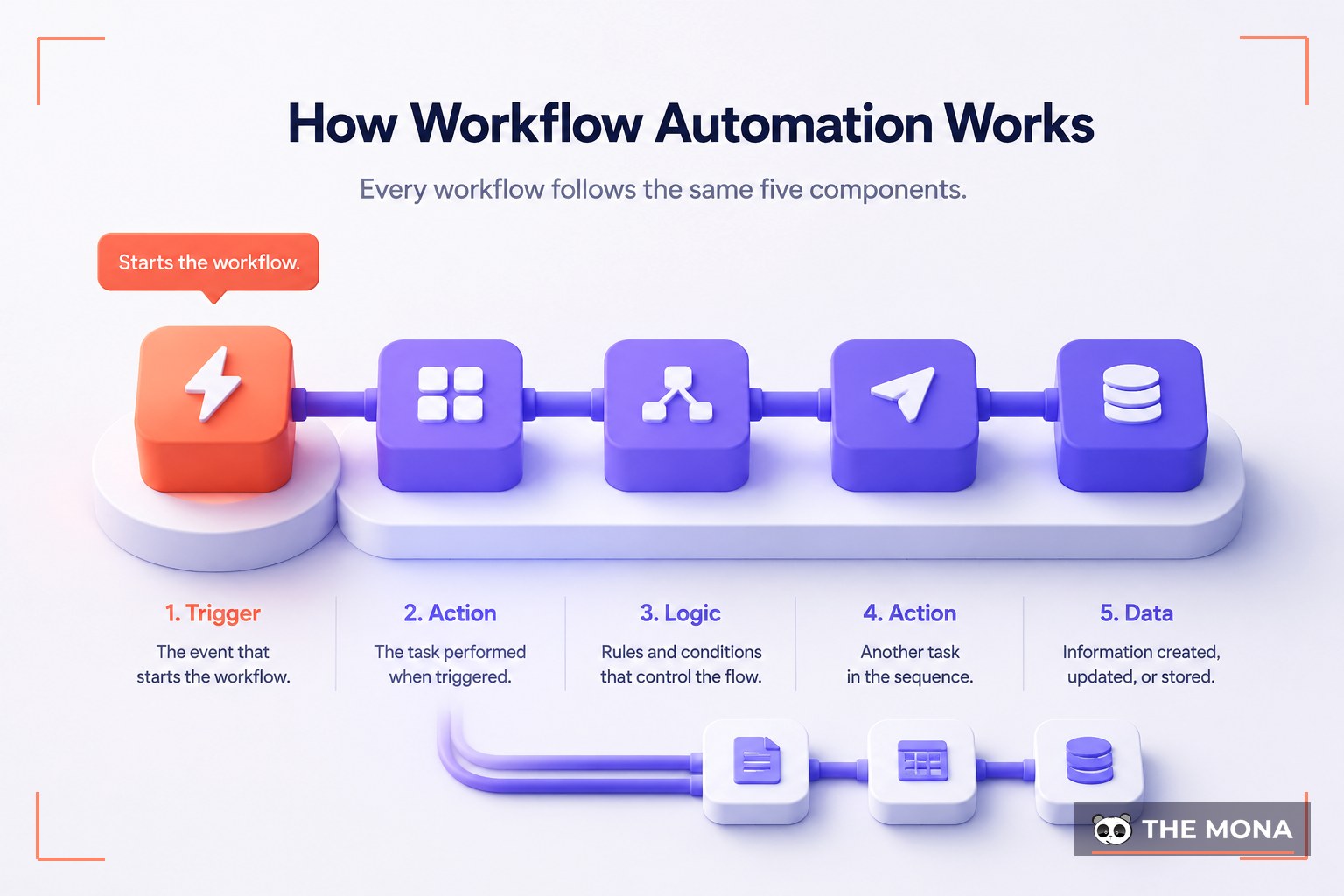
Every automated workflow, whether a two-step Zapier zap or a custom pipeline processing thousands of documents a day, is built from the same five components:
- Trigger. The event that starts the workflow: a form submission, an email in a shared inbox, a deal moving to "Closed Won," a file in a folder, or a timer at 8:00 every morning.
- Conditions and branching. The decision logic. Workflows rarely run in a straight line: they branch on amount, region, customer type, or any other attribute of the data flowing through.
- Actions. The steps the software performs: create, update, send, generate, assign. Each action usually talks to a different system through its API.
- Human-in-the-loop checkpoints. Well-designed workflows know what not to automate. Approvals, exceptions, and high-risk decisions pause the flow and ask a person, then continue automatically.
- Monitoring and error handling. The part hobby automations skip and production automations live on. Mature workflows retry, escalate, and log when an API is down or data is malformed. Silently failing automations are worse than none.
A concrete example: an invoice arrives by email (trigger). The workflow extracts vendor, amount, and due date from the PDF (action, often AI-assisted). Under the approval threshold and vendor known? Posted straight to accounting (branch). Otherwise it's routed to a manager for one-click approve/reject (human checkpoint). Either way the result lands in the ERP, the vendor gets a confirmation, and finance sees it in the morning dashboard. Nobody typed anything.
Why Businesses Automate Workflows
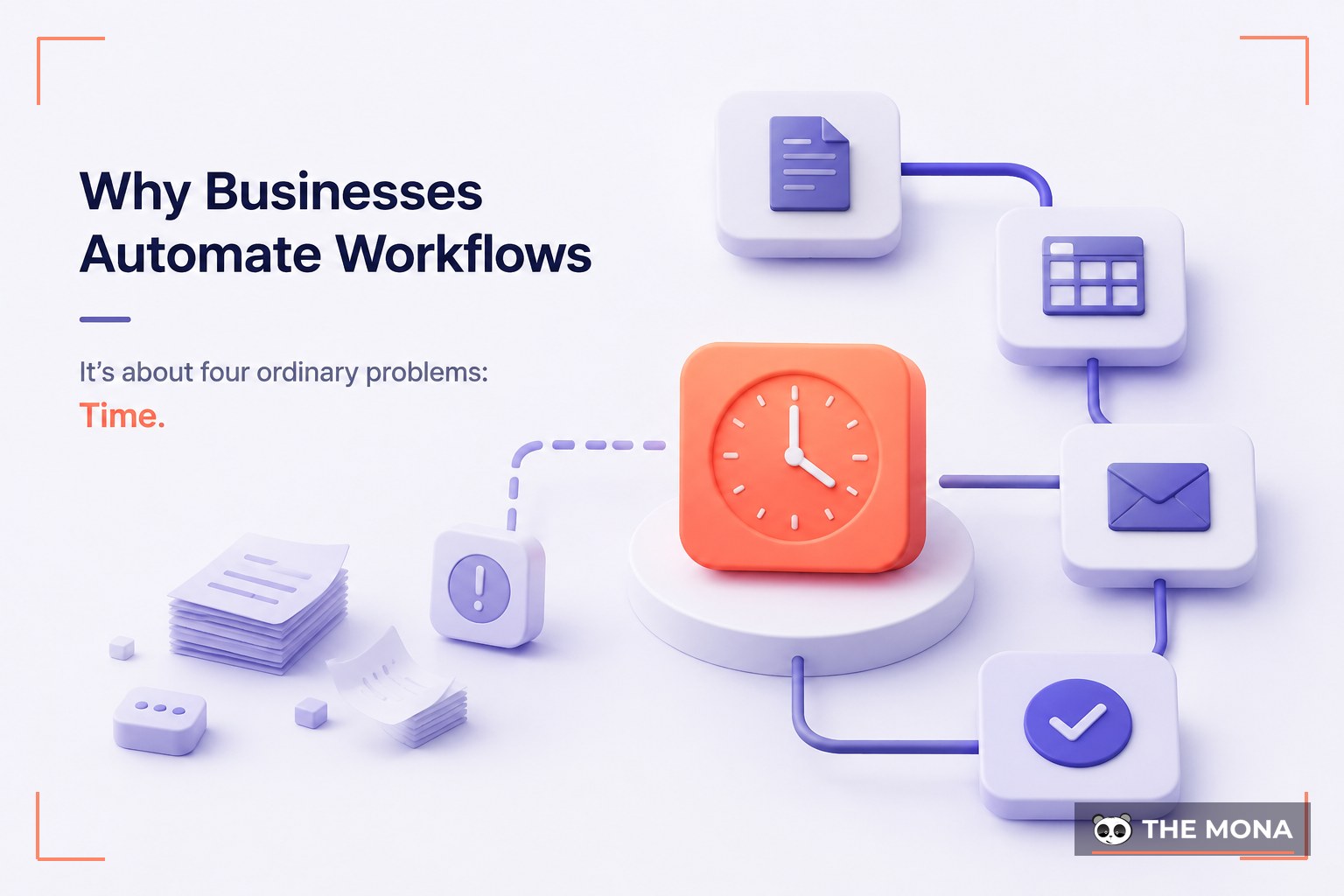
The case for workflow automation is rarely about futuristic ambition. It's about four ordinary problems:
- Time. Repetitive admin work quietly consumes a large share of most teams' week; automation gives those hours back.
- Errors. Software following rules doesn't get tired on Friday afternoon: fewer typos in invoices, fewer leads lost in handoffs.
- Speed and consistency. Automated workflows respond in seconds and run the same way every time. Customers feel it: faster quotes, onboarding, support.
- Scale without headcount. When volume doubles, an automated workflow doesn't need to double in size. Manual processes scale with people; automated ones mostly don't.
The honest counterweight: every workflow you build is a small piece of software that must be monitored and updated as tools and processes change. That trade-off is worth it for high-volume, stable processes, and rarely for tasks you do twice a year.
Workflow Automation Examples by Department
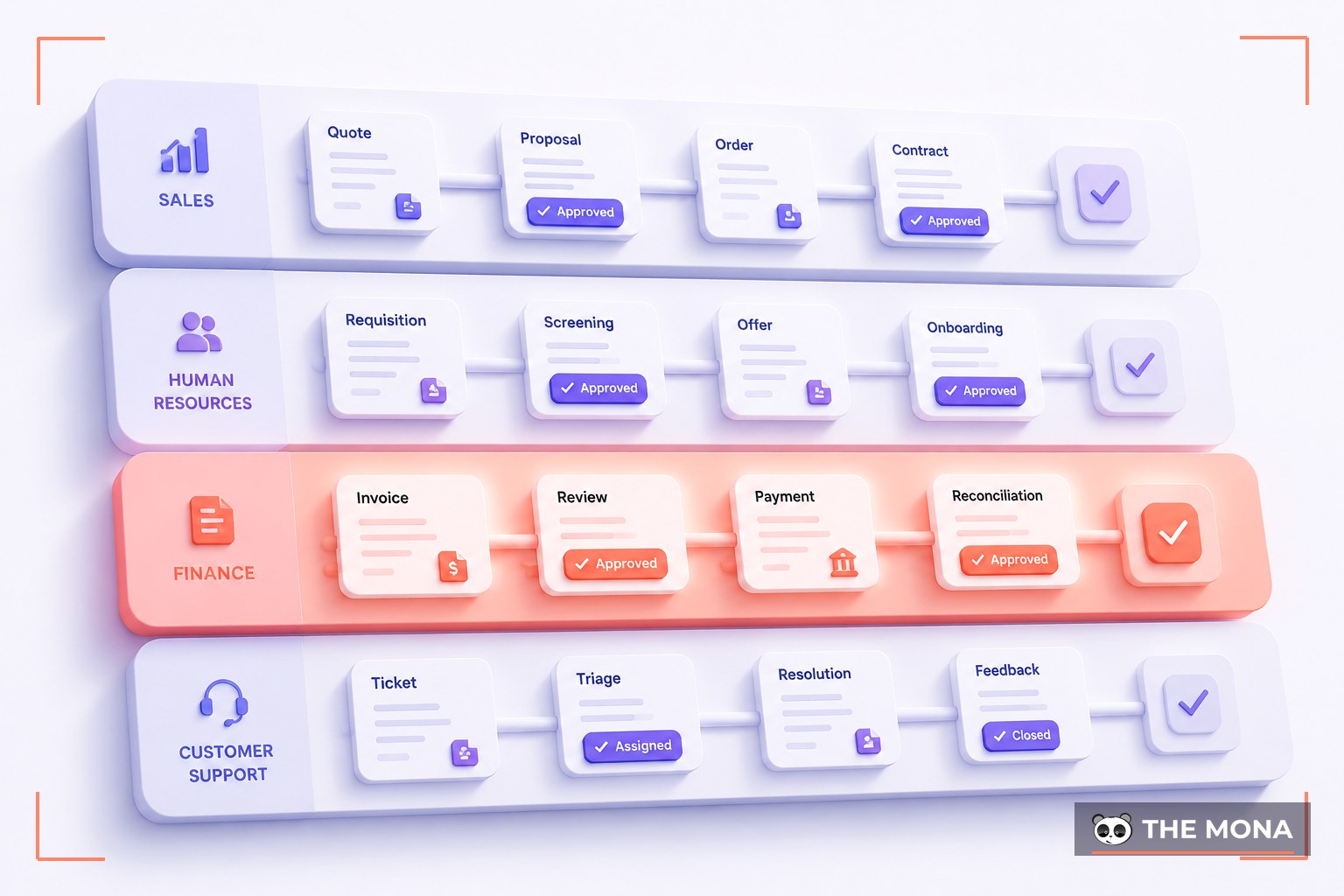
Business workflow automation isn't one big project; it's dozens of small, specific wins:
Sales & CRM
Lead capture from forms, ads, and chat routed into the CRM with automatic enrichment and scoring; instant assignment to the right rep; follow-up sequences that pause the moment a prospect replies; quote generation from CRM data; deal-stage hygiene so the pipeline report is actually true.
Marketing
Welcome and nurture email flows; lead handoff to sales when engagement crosses a threshold; content scheduling; campaign reporting compiled automatically from ad platforms and analytics instead of a Monday-morning spreadsheet ritual.
Finance & Accounting
Invoice data extraction and matching; approval chains based on amount and budget line; payment reminders that escalate politely; expense claim validation against policy; month-end reporting packs assembled automatically.
HR & Operations
Employee onboarding: accounts created, equipment ordered, training assigned from a single "new hire" trigger; leave request routing; CV screening and interview scheduling; offboarding checklists that get completed because no one has to remember them.
Customer Support
Ticket triage and routing by topic, language, and urgency; instant answers to the routine tier of questions from a knowledge base; escalation with full context when a human is needed; churn-risk flags.
IT & Engineering
User provisioning and access requests; incident alert routing; deployment pipelines; automated backups and monitoring checks: the discipline software teams apply to themselves, extended to the rest of the business.
If several of these describe your company, you're not looking at six projects. You're looking at one automation roadmap, which is exactly what a process audit produces (more below).
Workflow Automation Software: Build, Buy, or Both
The workflow automation software market splits into three broad options, and the right answer for most companies is a combination.
No-code automation platforms
Tools like Zapier and Make connect thousands of popular apps with visual, trigger-action builders. They're superb for simple, low-volume workflows (new form entry, CRM contact, Slack notification), and non-technical teams can build them in an afternoon.
Where they struggle: complex branching, high volumes (per-task pricing compounds fast), and anything requiring custom logic or apps outside their connector catalog. A fifteen-branch workflow in a visual builder becomes spaghetti no one dares touch.
Self-hosted and developer-friendly platforms
n8n (open-source and self-hostable) sits between no-code and code: visual building plus custom JavaScript/Python nodes, flat infrastructure cost instead of per-task fees, and data that stays on your servers, which matters in privacy-sensitive industries. Microsoft Power Automate plays a similar role for organizations living in Microsoft 365. These platforms handle far more complexity, but they need someone technical to own them.
Custom-built workflow automation
When the workflow is the business (order orchestration for an e-commerce operation, document pipelines processing thousands of items daily, logic too proprietary for any template), custom code (Python or Node.js services, queues, proper databases) wins: no platform ceiling, no per-task tax at scale, full ownership.
How to choose
| No-code (Zapier, Make) | Self-hosted platform (n8n, Power Automate) | Custom build | |
|---|---|---|---|
| Best for | Simple, low-volume connections | Medium complexity, data privacy, cost at volume | Core processes, high volume, proprietary logic |
| Who builds it | Non-technical staff | Technical staff or a partner | Engineers |
| Cost pattern | Cheap to start, per-task fees scale up | Flat infrastructure + setup effort | Higher upfront, lowest at scale |
| Ceiling | Hit quickly | High | None |
| Ownership | Rented | Yours (self-hosted) | Fully yours |
The pragmatic rule we apply in client work: use the lightest tool that survives your edge cases. Prototype in no-code, run serious workflows on a platform like n8n, write custom services for the processes your revenue depends on. The expensive mistake is forcing one tool to do all three jobs.
AI Workflow Automation: When Rules Aren't Enough
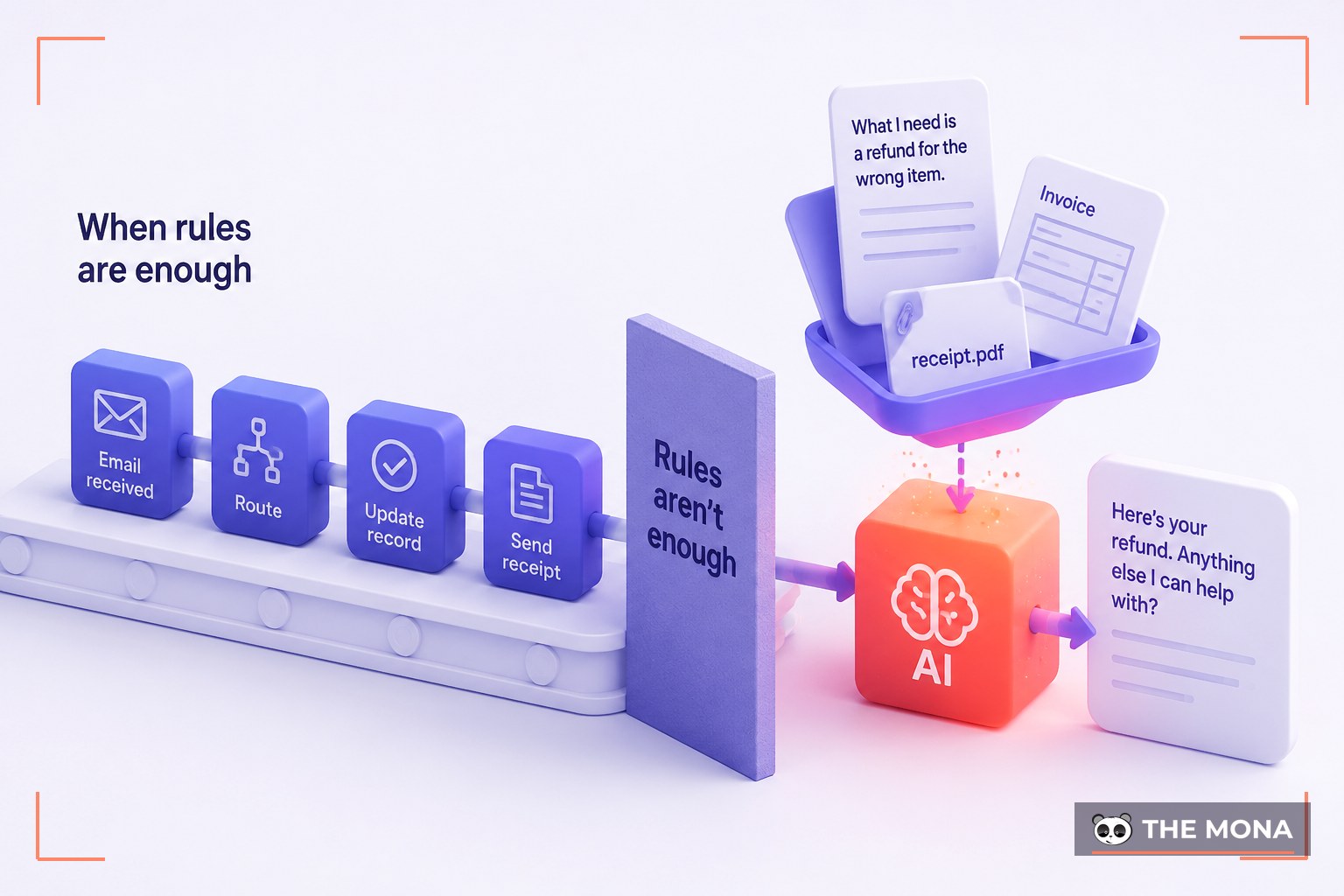
Traditional workflow automation handles rules-based work brilliantly. It fails the moment a step requires judgment: reading an email and deciding what the customer actually wants, extracting fields from an invoice that looks different from the last hundred, drafting a response that sounds human.
AI workflow automation closes that gap by inserting language models and machine learning into the workflow as decision-making and content-generating steps:
- Understanding unstructured input. Classifying and routing emails, tickets, and chat messages by intent, urgency, and sentiment, not just keywords.
- Document intelligence. Extracting structured data from invoices, contracts, CVs, and forms in inconsistent formats, with confidence scores that route low-certainty items to a human.
- Content generation inside the flow. Drafting replies, summaries, and reports for human approval rather than from-scratch writing.
- AI agents. The frontier: systems that don't just execute a fixed sequence but reason about a goal, choose tools, and act across multiple steps, with guardrails. If that's the layer you're interested in, see our AI agent development services.
Two design principles keep AI workflow automation from becoming a liability. First, AI decides, rules verify: wrap probabilistic AI steps in deterministic checks, thresholds, and human review for anything customer-facing or financially significant. Second, data privacy is an architecture choice: where regulation demands it, self-hosted open-source models keep sensitive data inside your infrastructure entirely.
How to Implement Workflow Automation (Without Automating the Wrong Thing)
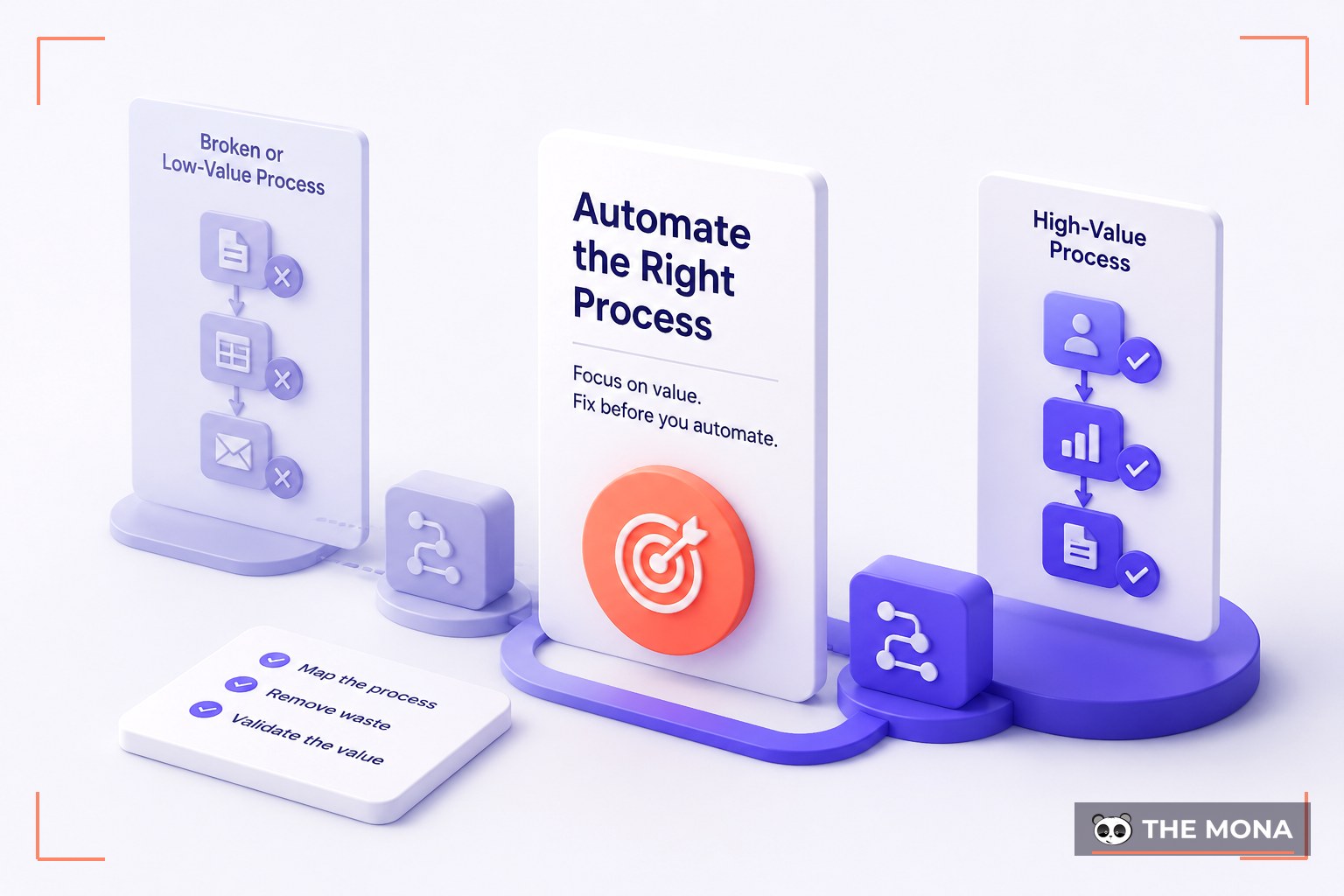
The most common failure isn't technical. It's automating a broken or low-value process beautifully. A disciplined rollout:
- Map the real process. Document the workflow as it's actually done, by the people who do it, not the org chart's version. Undocumented exceptions are where automations break.
- Pick candidates by ROI and risk. Score workflows on volume, time per run, error cost, and stability. Automate high-volume, rules-heavy, low-risk work first.
- Fix before you automate. If a process has pointless steps, automation just makes the waste faster. Simplify first.
- Design with checkpoints. Define the trigger, logic, actions, where humans stay in the loop, and the success metric.
- Pilot on a slice. One team, one document type, one region. Run in parallel with the manual process until accuracy holds under real conditions.
- Roll out, monitor, iterate. Deploy fully, watch the error logs, expect to tune. Processes evolve; unmaintained automations rot into silent failure.
A single well-scoped workflow typically goes from mapping to live pilot within a few weeks, and that first visible win is what earns the organizational trust to automate the next ten.
Workflow Automation Services: When to Bring In a Partner
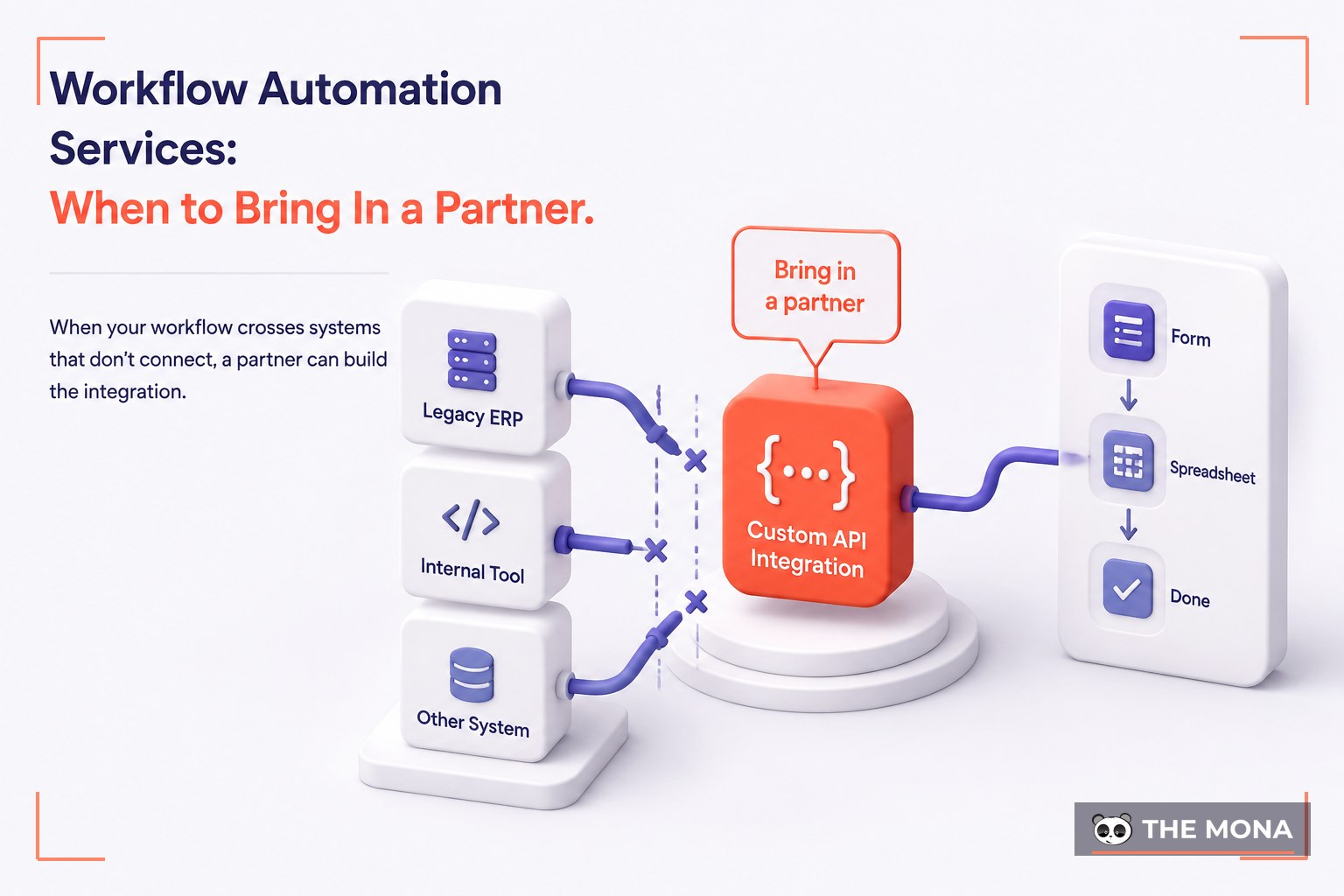
Plenty of teams should build their first automations themselves: a Zapier connection between a form and a spreadsheet doesn't need consultants. Workflow automation services earn their fee when:
- The workflow crosses systems that don't connect (a legacy ERP, an internal tool, no ready-made connector), and someone needs to build the API integration.
- Volume or complexity has outgrown no-code, and per-task pricing or fragile visual spaghetti costs more than engineering would.
- AI is involved: the difference between a demo and a production system is evaluation, guardrails, and monitoring, which is engineering work.
- Nobody owns maintenance. An automation without an owner is a future outage.
This is where MONA comes in. We're a Vietnam-based technology group with our own in-house team, more than a decade of building software, and 14,000+ projects delivered, including the CRMs, ERPs, and e-commerce systems that workflows have to integrate with. That history matters: workflow automation is mostly integration work, and we've usually built the kind of system sitting on the other side of the API.
What working with us looks like:
- Process audit first. We map your workflows, quantify the hours, and hand you a prioritized roadmap, whether or not you build with us.
- The right tool, not our favorite tool. No-code where it's enough, n8n where it fits, custom Python/Node.js services where your business depends on it.
- AI where it earns its place. Document processing, intelligent routing, drafting, with human-in-the-loop checkpoints.
- Built like software, because it is. Version control, staging, monitoring, documentation, support after launch.
- You own everything. Code, workflows, prompts, credentials. No platform ransom.
And because our engineering is based in Vietnam, iteration is affordable: the quiet superpower of automation projects, where teams that win can afford to pilot, tune, and expand instead of betting everything on one launch.
Ready to see what's automatable in your business? Our AI automation agency team starts every engagement with a free process audit: a concrete map of your highest-ROI automation candidates, with estimates before any commitment. MONA holds an 85% client retention rate; call 1900 636 648 if you'd rather talk it through first.
Ready to Find Your Highest-ROI Automation?
Tell us the process eating your team's time, and we'll map out what's automatable, and what isn't, before you spend a dollar building.